


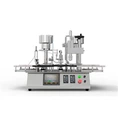
Label misalignment is a common issue that can occur when operating a labeling machine. As a leading supplier of Labeling Machine, we understand the frustration this problem can cause. In this blog post, we'll explore the causes of label misalignment and provide practical troubleshooting steps to help you resolve this issue efficiently.
Understanding the Causes of Label Misalignment
Before we dive into troubleshooting, it's essential to understand the potential causes of label misalignment. Here are some common factors:
1. Incorrect Label Placement
- Improper Loading: If labels are not loaded correctly onto the labeling machine, they may not feed properly, leading to misalignment. This can happen if the labels are not centered on the label roll or if they are loaded in the wrong orientation.
- Label Size Mismatch: Using labels that are not the correct size for the labeling machine can also cause misalignment. Labels that are too large or too small may not feed smoothly through the machine, resulting in inaccurate placement.
2. Mechanical Issues
- Worn or Damaged Parts: Over time, the components of a labeling machine can wear out or become damaged. This can include rollers, belts, and sensors. If these parts are not functioning properly, they can cause labels to misalign.
- Incorrect Adjustment: The labeling machine may need to be adjusted to ensure proper label placement. If the machine is not calibrated correctly, labels may be applied at the wrong angle or position.
3. Environmental Factors
- Temperature and Humidity: Extreme temperatures and humidity can affect the performance of a labeling machine. High humidity can cause labels to stick together, while low temperatures can make the labels brittle and difficult to feed.
- Dust and Debris: Dust and debris can accumulate on the labeling machine, affecting its operation. This can cause labels to misalign or jam in the machine.
Troubleshooting Steps
Now that we've identified the potential causes of label misalignment, let's explore some troubleshooting steps to help you resolve this issue:


1. Check the Label Placement
- Verify Label Loading: Make sure the labels are loaded correctly onto the labeling machine. Check that the labels are centered on the label roll and that they are loaded in the correct orientation.
- Confirm Label Size: Ensure that the labels you are using are the correct size for the labeling machine. Refer to the machine's manual for the recommended label dimensions.
2. Inspect the Mechanical Components
- Check for Wear and Damage: Examine the rollers, belts, and sensors for any signs of wear or damage. Replace any worn or damaged parts as needed.
- Adjust the Machine: If the labeling machine is not calibrated correctly, adjust it according to the manufacturer's instructions. This may involve adjusting the label applicator, conveyor speed, or other settings.
3. Evaluate the Environmental Conditions
- Control Temperature and Humidity: Maintain a stable temperature and humidity level in the area where the labeling machine is located. Use a dehumidifier or humidifier if necessary.
- Keep the Machine Clean: Regularly clean the labeling machine to remove dust and debris. Use a soft, dry cloth to wipe down the machine and its components.
4. Test the Machine
- Run a Test Batch: After making any adjustments or repairs, run a test batch of labels to ensure that the misalignment issue has been resolved. Check the label placement on each product and make any additional adjustments as needed.
Advanced Troubleshooting
If the above troubleshooting steps do not resolve the label misalignment issue, you may need to perform some advanced troubleshooting:
1. Check the Sensor Alignment
- Inspect the Sensors: The labeling machine uses sensors to detect the position of the labels and products. If these sensors are not aligned correctly, they can cause labels to misalign. Check the sensor alignment and adjust it if necessary.
- Calibrate the Sensors: If the sensors are not calibrated correctly, they may not be able to detect the labels or products accurately. Follow the manufacturer's instructions to calibrate the sensors.
2. Examine the Label Adhesive
- Check the Adhesive Quality: The quality of the label adhesive can affect the label placement. If the adhesive is too weak or too strong, it can cause labels to misalign or peel off. Check the adhesive quality and use a different adhesive if necessary.
- Adjust the Adhesive Application: The labeling machine may need to be adjusted to ensure proper adhesive application. This may involve adjusting the adhesive temperature, pressure, or flow rate.
3. Consult the Manufacturer
- Contact Technical Support: If you are still experiencing label misalignment issues after performing the above troubleshooting steps, contact the manufacturer's technical support team. They can provide additional guidance and assistance to help you resolve the issue.
Preventive Maintenance
To prevent label misalignment issues from occurring in the future, it's important to perform regular preventive maintenance on your labeling machine:
1. Clean the Machine Regularly
- Remove Dust and Debris: Dust and debris can accumulate on the labeling machine, affecting its performance. Regularly clean the machine to remove any dust or debris that may have collected on its components.
- Lubricate Moving Parts: Lubricate the moving parts of the labeling machine to ensure smooth operation. Follow the manufacturer's instructions for the recommended lubricant and frequency of lubrication.
2. Inspect the Machine for Wear and Damage
- Check for Wear and Tear: Regularly inspect the labeling machine for any signs of wear and tear. Replace any worn or damaged parts as soon as possible to prevent further damage to the machine.
- Perform Routine Maintenance: Follow the manufacturer's recommended maintenance schedule for your labeling machine. This may include tasks such as changing the filters, adjusting the belts, and calibrating the sensors.
3. Train Your Operators
- Provide Proper Training: Ensure that your operators are properly trained on how to operate the labeling machine. Provide them with the necessary training and resources to ensure that they can use the machine safely and effectively.
- Encourage Operator Feedback: Encourage your operators to provide feedback on the performance of the labeling machine. This can help you identify any potential issues before they become major problems.
Conclusion
Label misalignment is a common issue that can occur when operating a labeling machine. However, by understanding the potential causes of this issue and following the troubleshooting steps outlined in this blog post, you can resolve this issue efficiently and prevent it from occurring in the future.
As a leading supplier of Labeling Machine, we are committed to providing our customers with high-quality products and excellent customer service. If you have any questions or need further assistance with your labeling machine, please don't hesitate to contact us. We'll be happy to help you find the best solution for your needs.
If you're in the market for a new labeling machine or looking to upgrade your existing equipment, we invite you to explore our range of Labeling Machine and Blister Packaging Machine. Our machines are designed to provide reliable and efficient labeling solutions for a variety of industries. Contact us today to learn more about our products and how we can help you improve your labeling process.
References
- Manufacturer's Manual for Labeling Machine
- Industry Best Practices for Labeling Machine Maintenance