


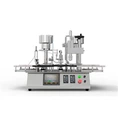
Hey there! As a supplier of monoblock fillers, I've seen my fair share of issues that can crop up with these machines. Monoblock fillers are super handy for all sorts of filling tasks, but like any piece of equipment, they can run into problems. In this blog, I'll share some tips on how to troubleshoot a monoblock filler.
1. Check the Power Supply
First things first, you gotta make sure the monoblock filler is getting power. Sounds obvious, right? But you'd be surprised how often a loose plug or a tripped circuit breaker is the culprit. Check if the power cord is securely plugged into the outlet and that the outlet itself is working. You can use a multimeter to test the voltage at the outlet if you're not sure. If the power supply seems fine, but the machine still won't turn on, there could be an issue with the internal power switch or the electrical wiring. In that case, it's best to call in a professional technician.
2. Inspect the Filling Nozzles
The filling nozzles are a crucial part of the monoblock filler. If they're clogged or damaged, it can lead to uneven filling or no filling at all. Start by visually inspecting the nozzles for any signs of blockage. You might see debris or dried product stuck inside. If that's the case, you can try cleaning the nozzles with a suitable cleaning solution. For some nozzles, you can soak them in the solution to loosen the blockage and then use a small brush to gently remove it.
If the nozzles are damaged, they'll need to be replaced. You can find replacement nozzles for most monoblock fillers. Just make sure you get the right size and type for your machine. You can check out our Monoblock Filler page for more information on compatible parts.


3. Look at the Pump
The pump is responsible for moving the product from the reservoir to the filling nozzles. If the pump isn't working properly, the filling process will be affected. Listen for any strange noises coming from the pump. A grinding or rattling sound could indicate a problem with the pump's internal components. You should also check the pump's pressure. If the pressure is too low, the product might not be flowing through the system at the right rate.
Some pumps have a pressure gauge that you can use to monitor the pressure. If the pressure is off, you might need to adjust the pump settings or check for any leaks in the pump or the piping. If you're not comfortable working on the pump yourself, it's a good idea to contact the manufacturer or a qualified technician.
4. Examine the Conveyor System
The conveyor system is what moves the containers through the filling process. If it's not working correctly, the containers might not be in the right position for filling, or they could jam up the machine. Check the conveyor belt for any signs of wear or damage. Look for frayed edges or loose parts. Make sure the belt is properly tensioned. If it's too loose, it might slip, and if it's too tight, it could put extra stress on the motor.
Also, check the conveyor's drive mechanism. This could be a chain, a belt, or a gear system. Make sure all the parts are clean and lubricated. If there are any misaligned parts, it could cause the conveyor to move unevenly. You can usually adjust the alignment of the conveyor components using the adjustment screws or bolts provided.
5. Check the Sensor System
Many monoblock fillers have sensors that detect the presence of containers, control the filling volume, and ensure the overall operation of the machine. If the sensors are malfunctioning, it can lead to all sorts of problems. For example, if the container sensor isn't working, the machine might not start filling when a container is in place.
To troubleshoot the sensors, start by cleaning them. Dust or debris on the sensors can interfere with their operation. You can use a soft, dry cloth to gently clean the sensor surfaces. If cleaning doesn't solve the problem, you might need to check the sensor's wiring connections. Make sure the wires are securely plugged in and that there are no signs of damage. If the sensor still isn't working, it might need to be replaced.
6. Evaluate the Control Panel
The control panel is where you set all the parameters for the filling process, like the filling volume, the conveyor speed, and the number of containers to fill. If there are issues with the control panel, it can be difficult to operate the machine correctly. Check the display on the control panel. If it's blank or showing error messages, there could be a problem with the panel's software or hardware.
Try resetting the control panel by turning off the machine and then turning it back on. Sometimes, a simple reset can clear up minor glitches. If the problem persists, you might need to update the control panel's software. You can usually find the software updates on the manufacturer's website. If you're not sure how to update the software, contact the manufacturer for assistance.
7. Consider the Product Consistency
The consistency of the product you're filling can also affect the performance of the monoblock filler. If the product is too thick or too thin, it might not flow through the system properly. For thick products, you might need to adjust the pump pressure or the temperature of the product. Heating the product slightly can sometimes make it more fluid and easier to fill.
On the other hand, if the product is too thin, it might splash or drip during the filling process. You can try adjusting the filling speed or using a different type of filling nozzle that's better suited for thin products. Experiment with different settings to find the best combination for your product.
8. Look for Leaks
Leaks in the monoblock filler can cause a mess and waste product. Check all the connections in the system, including the hoses, the pipes, and the fittings. Look for any signs of dripping or pooling liquid. If you find a leak, you can usually tighten the connection to stop it. Sometimes, the sealing gaskets or O-rings might need to be replaced.
For hoses, check for any cracks or holes. If a hose is damaged, it should be replaced immediately. You can find replacement hoses and other parts on our Monoblock Machine page.
Conclusion
Troubleshooting a monoblock filler can seem like a daunting task, but by following these steps, you can usually identify and fix most common problems. Remember, if you're ever unsure about something or if you can't solve the problem on your own, don't hesitate to reach out to the manufacturer or a professional technician.
If you're in the market for a new monoblock filler or need replacement parts for your existing machine, we're here to help. Our Eye Drop Filling Machine is just one of the high - quality products we offer. Contact us to discuss your needs and start a procurement negotiation. We're always happy to work with you to find the best solution for your business.
References
- Manufacturer's manual for the monoblock filler
- Industry best practices for filling machine maintenance and troubleshooting