


Hey there! As a supplier of capsule machines, I often get asked about what the control panel of a capsule machine is like. So, I thought I'd take a moment to share some insights with you.
First off, the control panel of a capsule machine is like the brain of the whole operation. It's where you, as the operator, can manage and monitor every aspect of the capsule - filling process.
General Appearance
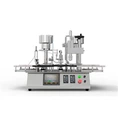
Most control panels are designed to be user - friendly. They usually have a display screen. The display screen is often a touch - screen these days, which makes it super easy to interact with. It's like having a mini - computer right in front of you.
Functionality
Let's talk about what you can actually do with the control panel.
1. Start and Stop
The most basic function is, of course, starting and stopping the machine. There's usually a big, clearly labeled "Start" button and an "Emergency Stop" button. The emergency stop is there for those unexpected situations when you need to halt the machine immediately to prevent any damage or safety issues.
2. Speed Control
You can control the speed at which the capsules are filled. This is important because different materials and capsule sizes might require different filling speeds. For example, if you're filling a sticky substance, you might need to slow down the machine to ensure even filling. You just use the control panel to increase or decrease the speed, and the machine will adjust accordingly.
3. Dosage Setting
Accurate dosage is crucial in the capsule - filling process. On the control panel, you can set the exact amount of material to be filled into each capsule. This is a very precise operation. Some machines allow you to input the dosage in milligrams or other units directly on the touch - screen. The machine then uses this information to control the filling mechanism and ensure that each capsule gets the right amount of product.
4. Monitoring
The control panel also provides real - time monitoring of the machine's performance. You can see things like the number of capsules filled, the current filling speed, and any error messages. If there's a problem with the machine, such as a blockage in the filling tube or a malfunction in the capsule - separating mechanism, the control panel will display an error code. This helps you quickly identify and fix the issue.
Different Types of Control Panels
There are different types of control panels depending on the complexity and type of the capsule machine.
Basic Control Panels
For smaller, less complex Capsule Filling Machine, the control panel might be relatively simple. It could have just a few buttons and a basic display. These machines are usually used for small - scale production or in laboratories. The buttons would typically be used for starting, stopping, and making basic speed adjustments. The display might just show basic information like the number of capsules filled.
Advanced Control Panels
Larger, industrial - grade NJP-1200C Fully Automatic Capsule Filling Machine, machines have more advanced control panels. These might have a high - resolution touch - screen display with a graphical user interface (GUI). The GUI can show detailed diagrams of the machine's internal components and how they're functioning. You can also save different settings for different products. For example, if you're filling two different types of capsules with different materials, you can save the speed, dosage, and other settings for each product. Then, when you need to switch between products, you just select the saved settings on the control panel.
Maintenance - related Functions
The control panel also plays a role in machine maintenance. It can tell you when it's time to perform certain maintenance tasks. For example, it might display a reminder when it's time to clean the filling mechanism or replace a worn - out part. Some control panels even have diagnostic functions that can help you troubleshoot problems without having to call in a technician right away.
Safety Features on the Control Panel
Safety is a top priority in any machine, and the control panel of a capsule machine is no exception. There are several safety - related features built into the control panel.

As mentioned earlier, the emergency stop button is a crucial safety feature. It cuts off the power to the machine immediately, preventing any further operation. In addition, the control panel might have safety interlocks. For example, if the machine's door is open, the control panel will prevent the machine from starting. This ensures that operators don't accidentally get their hands caught in the moving parts of the machine.
Customization
Many of our capsule machines come with the option of customizing the control panel. You can choose the layout of the buttons and the information displayed on the screen. This is great for businesses that have specific requirements or workflows. For example, if you have a particular sequence of operations that you always follow, you can customize the control panel so that it's easier to perform those operations.
Conclusion
In conclusion, the control panel of a capsule machine is a vital component that allows you to operate, monitor, and maintain the machine effectively. Whether you're running a small - scale operation or a large industrial facility, having a well - designed control panel can make a big difference in the efficiency and quality of your capsule - filling process.
If you're in the market for a capsule machine and have any questions about the control panel or other features, don't hesitate to reach out. We're here to help you find the perfect machine that suits your needs. Let's start a conversation and see how we can work together to take your capsule - filling business to the next level!
References
- Industry knowledge and experience as a capsule machine supplier.
- Technical manuals of various capsule machines.